

Have you ever had to move funds from one checking account to another? Or perhaps from a checking account to a savings account? QuickBooks Desktop has a feature to make recording these types of transactions easy.
From the menu bar, go to Banking and select Transfer Funds. The box below will appear:
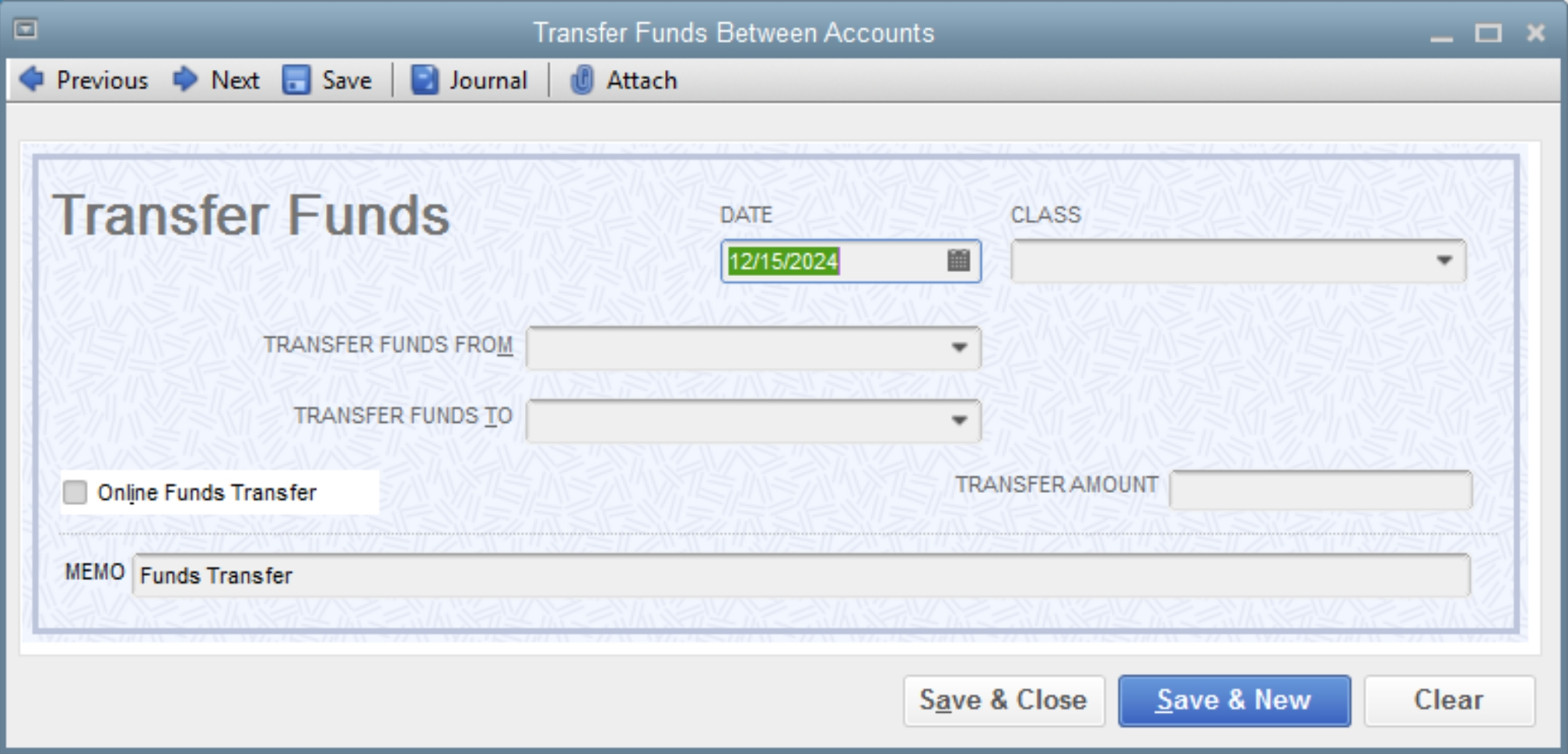
- Enter in the relevant information:
- Date
- Account to transfer funds from
- Account to transfer funds to
- Class (if applicable)
- The amount of the transfer
- Save & Close if there is only the one transfer to record
- Save & New if there are more transfers to record
In only a few simple steps, using this Transfer Funds feature will help keep these types of transactions recorded and organized for future reference.
Please contact a member of the Hawkins Ash CPAs QuickBooks team if you have any questions or need assistance regarding this topic.

I am a Certified Payroll Professional (CPP) and Advanced Certified QuickBooks ProAdvisor, providing payroll and accounting services to businesses. I joined the Hawkins Ash CPAs Green Bay, WI, office in 2003.